> ## Documentation Index
> Fetch the complete documentation index at: https://docs.attio.com/llms.txt
> Use this file to discover all available pages before exploring further.
# Call recording transcript text selection action
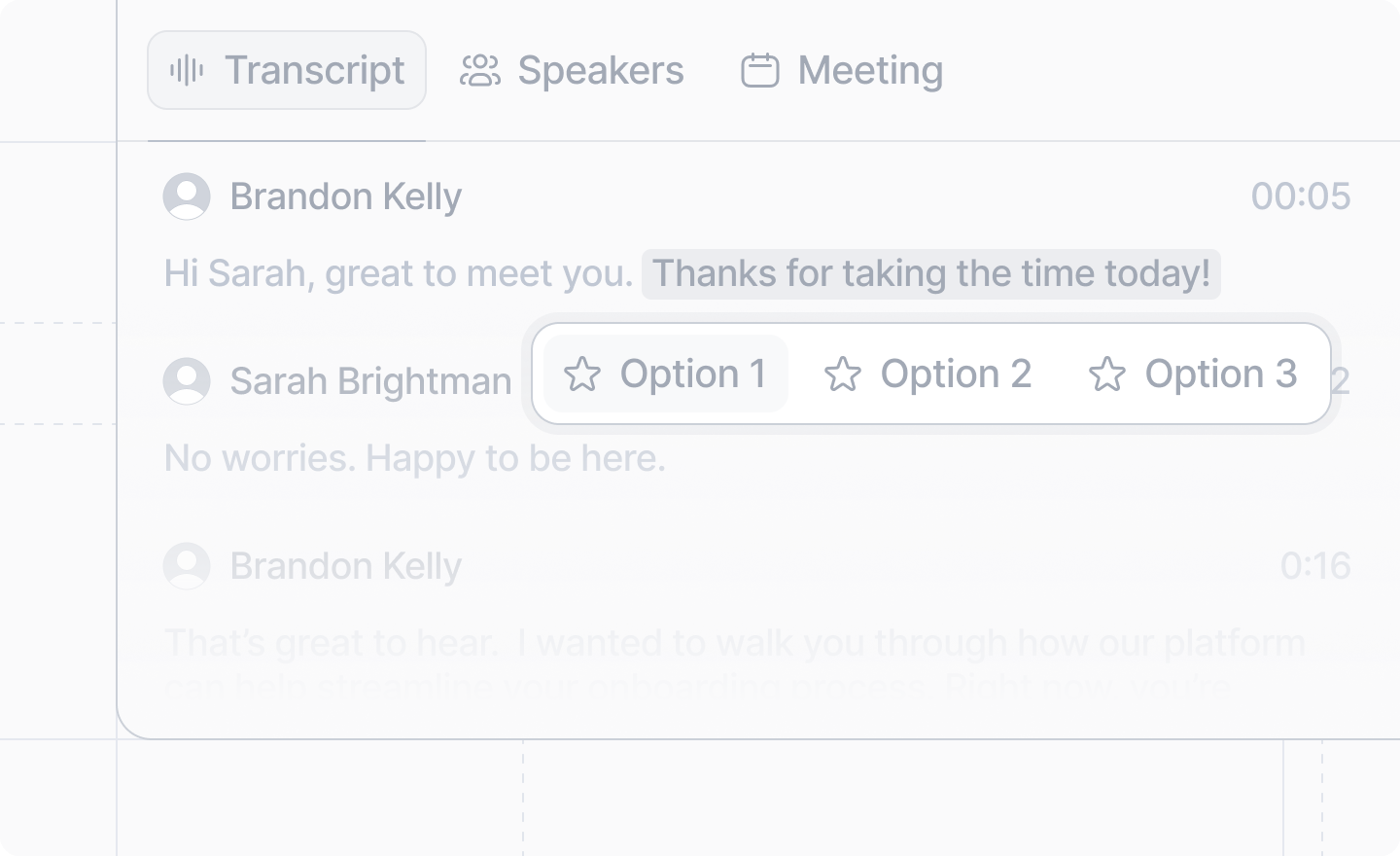
> Call recording transcript text selection actions are a way to perform an action based on a text selection on a call recording transcript.
 ```ts theme={"system"}
import type {App} from "attio"
```
Register a call recording transcript text selection action by creating an
`App.CallRecording.Transcript.TextAction` and adding it to the `callRecording.transcript.textActions`
array of your [`app.ts`](./app-ts) file.
## Example
```tsx process-call-transcript.ts theme={"system"}
import type {App} from "attio"
import {showDialog} from "attio/client"
import {ProcessCallTranscriptDialog} from "./your-code"
export const processCallTranscriptAction: App.CallRecording.Transcript.TextAction = {
id: "process-call-transcript",
label: "Process transcript",
onTrigger: async ({
transcript,
url,
}: {
transcript: {speaker: string; text: string}[]
url: string
}) => {
await showDialog({
title: "Process call transcript",
Dialog: ({hideDialog}: {hideDialog: () => void}) => {
return
},
})
},
}
```
```tsx app.ts theme={"system"}
import type {App} from "attio"
import {processCallTranscriptAction} from "./process-call-transcript"
export const app: App = {
callRecording: {
transcript: {
textActions: [processCallTranscriptAction],
},
// ...
},
// ...
}
```
## Arguments
The unique identifier for this call recording transcript selection action.
It is only used internally; never shown to the user.
A human-readable label of the call recording transcript selection action that will be shown to the
user when they make a text selection on a call recording transcript.
An [`AttioIcon`](../icons) to display beside the label.
If no `icon` prop is provided, it will default to your app's icon that you set up in the
[Developer dashboard](https://build.attio.com).
The function to run when the action is triggered. You'll likely want to [show a
dialog](../dialogs/show-dialog) or run a [server function](../server/server-functions) here.
The function will be given an object containing:
* `transcript` – the portion of the transcript that was selected, with speaker information
* `url` – a url linking directly back to the call recording transcript section selected
```ts theme={"system"}
import type {App} from "attio"
```
Register a call recording transcript text selection action by creating an
`App.CallRecording.Transcript.TextAction` and adding it to the `callRecording.transcript.textActions`
array of your [`app.ts`](./app-ts) file.
## Example
```tsx process-call-transcript.ts theme={"system"}
import type {App} from "attio"
import {showDialog} from "attio/client"
import {ProcessCallTranscriptDialog} from "./your-code"
export const processCallTranscriptAction: App.CallRecording.Transcript.TextAction = {
id: "process-call-transcript",
label: "Process transcript",
onTrigger: async ({
transcript,
url,
}: {
transcript: {speaker: string; text: string}[]
url: string
}) => {
await showDialog({
title: "Process call transcript",
Dialog: ({hideDialog}: {hideDialog: () => void}) => {
return
},
})
},
}
```
```tsx app.ts theme={"system"}
import type {App} from "attio"
import {processCallTranscriptAction} from "./process-call-transcript"
export const app: App = {
callRecording: {
transcript: {
textActions: [processCallTranscriptAction],
},
// ...
},
// ...
}
```
## Arguments
The unique identifier for this call recording transcript selection action.
It is only used internally; never shown to the user.
A human-readable label of the call recording transcript selection action that will be shown to the
user when they make a text selection on a call recording transcript.
An [`AttioIcon`](../icons) to display beside the label.
If no `icon` prop is provided, it will default to your app's icon that you set up in the
[Developer dashboard](https://build.attio.com).
The function to run when the action is triggered. You'll likely want to [show a
dialog](../dialogs/show-dialog) or run a [server function](../server/server-functions) here.
The function will be given an object containing:
* `transcript` – the portion of the transcript that was selected, with speaker information
* `url` – a url linking directly back to the call recording transcript section selected